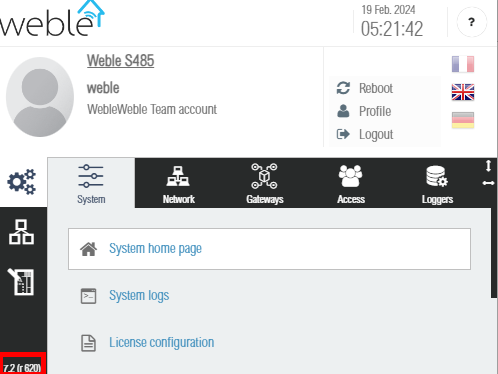
The remote host must be at least revision
620.
Our VPN's 'VPN on Demand' feature allows users to remotely activate or deactivate the VPN connection as needed. This capability enables users to toggle the VPN on or off from anywhere, providing them with convenient control over their network security and privacy settings. Whether they're traveling, working remotely, or simply need to adjust their VPN status from a different location, the 'VPN on Demand' feature ensures flexibility and ease of use.
¶ Parameters
| Screen label | Description |
|---|---|
| Enable | Turns VPN on demand on for the host. |
| VPN activation pending (duration) | How long the host stays connected once activated. |
| Dashboards – Unlock activation from dashboards | Lets dashboard users activate the VPN. |
¶ Enable VPN on demand for a host

¶ Allow VPN on demand from dashboards
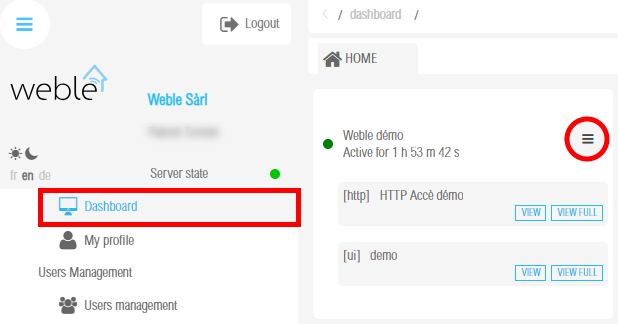
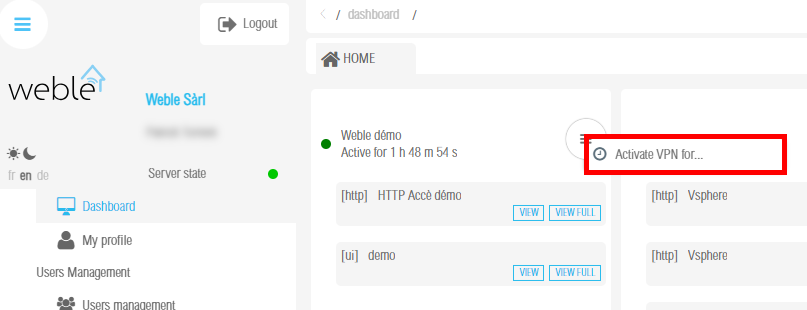
By default, users cannot initiate a VPN connection. However, it is possible to allow VPN access from the GroupDashboards and dashboards.
Make sure Dashboards – Unlock activation from dashboards (
tincOnDemandAllowFromDashboards) is enabled in the host configuration.
¶ On demand accept until
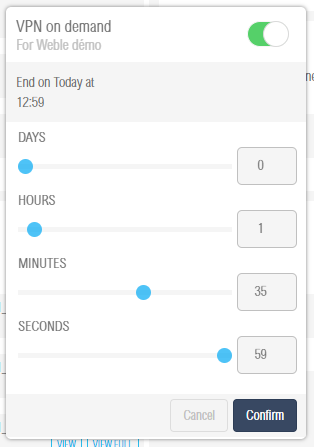
Allows defining how long the host is permitted to stay connected to the VPN before being disconnected.