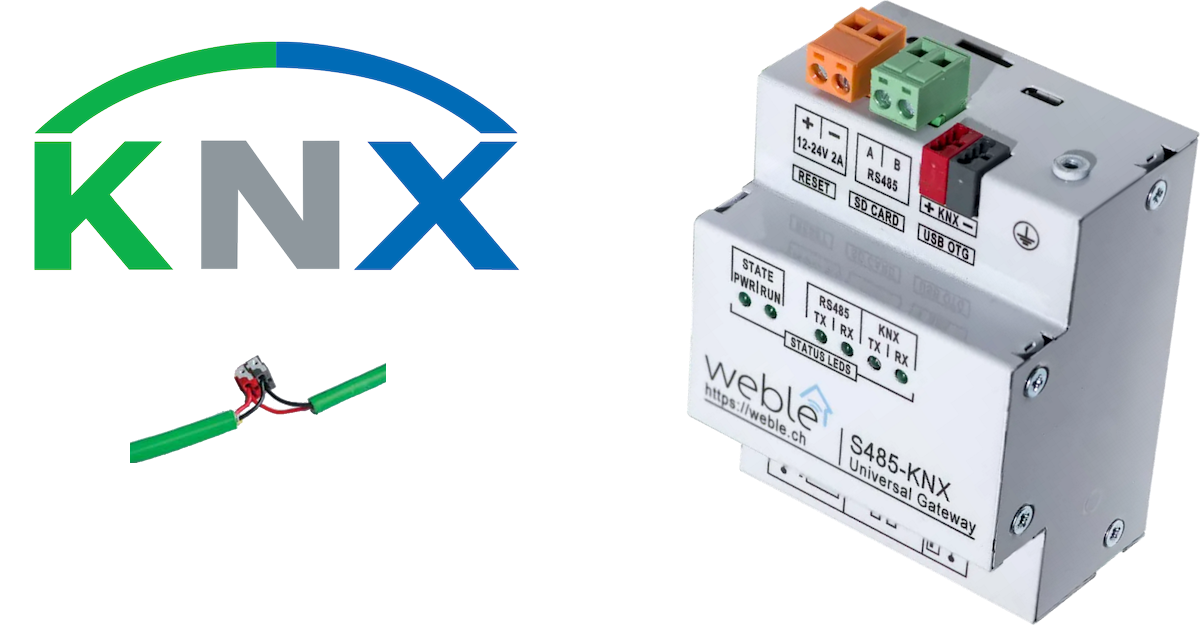
KNX is one of the main European standards for home and building automation, and historically the first driver supported by the Weble software. KNX devices can manage lighting, blinds and shutters, HVAC, security systems, energy management, audio/video, white goods, displays, remote control, and more.
The universal IoT gateway connects to the KNX bus either directly on the KNX twisted pair (S485-KNX hardware model), through a KNX IP router, through a KNX USB interface, or via KNX Secure tunneling. The Weble KNX driver is thorough and versatile — it supports multiple roles for different use cases:
- Reading / writing values on the KNX bus as a home supervisor or a gateway between protocols.
- Automation using the logic module to build programmable control circuits.
- Acting as a KNX device by replying to KNX read requests — useful for broadcasting periodic data on the bus.
- Custom routing / filtering between different KNX lines for large KNX projects.
- Acting as a KNX IP router, with the additional possibility to connect remotely to the KNX line through a VPN connection — ideal for remote maintenance and programming with ETS.
- KNX Secure communication for encrypted tunneling and IP connections.
¶ 1. Getting started
Once connected to the KNX bus, the driver decodes KNX packets travelling on the line and communicating group addresses can be automatically inserted in the gateway (if enabled). Addresses can also be imported from an ETS project file.
¶ 1.1 Importing from ETS
Click the Import file button in the gateway address list and select one of the supported file formats:
.knxproj— ETS 5/6 project file. The driver extracts group addresses with their names, descriptions, and datapoint types from the project XML. The group address hierarchy (main/middle/sub) is preserved in the address description..csv— CSV export from ETS or other tools. The driver auto-detects the column separator and expects columns for address name, group address, and optionally datapoint type..xml— ETS XML export.
After import, verify that the Datatype (DPT) is correctly assigned on each address — the driver uses it to encode and decode values.
¶ 2. Gateway parameters
The gateway can connect to the KNX bus via several modes: directly on the twisted pair, through a USB interface, via an IP router, or using KNX Secure. It can also simultaneously act as a KNX IP router, enabling remote ETS connections to the site.
¶ 2.1 Connection mode
| Label | JSON Key | Description |
|---|---|---|
| Name | name | A descriptive name for this KNX gateway instance. |
| Cluster ID | cluster | Cluster identifier (integer). Use 0 for single-gateway setups. |
| Description | description | Optional description. |
| Mode | mode | Connection mode — see table below. |
Available connection modes:
| Mode | Value | Description |
|---|---|---|
| Twisted Pair | tp |
Direct connection via the local KNX/TP port (hardware must have a KNX connector, e.g. S485-KNX). |
| USB | usb |
Connection via a KNX USB interface. |
| IP Tunneling | ipt |
Connection to a KNX IP router/interface via IP tunneling. |
| IP Tunneling NAT | iptn |
Same as IP Tunneling but through a NAT (Network Address Translation) — use this when the gateway and the KNX IP router are on different subnets. |
| IP Multicast | ip |
Connection via KNX IP multicast (routing mode). Packets are sent/received on a multicast group address. |
| IP Server | ips |
The gateway listens as a KNX IP server (router) only — it does not connect to a bus but accepts incoming KNX IP connections. |
| IP Tunneling Secure | iptsecure |
KNX IP Secure tunneling — encrypted connection to a KNX Secure IP interface. Requires a .knxkeys file. |
| IP Secure | ipsecure |
KNX IP Secure — encrypted IP communication. Requires a .knxkeys file. |
¶ 2.2 Connection parameters
These parameters depend on the selected mode.
| Label | JSON Key | Modes | Description |
|---|---|---|---|
| Host | host | ipt, iptn, iptsecure, ipsecure |
IPv4 address of the KNX IP router/interface. |
| Multicast Host | multicastHost | ip |
Multicast IP address (default: 224.0.23.12). |
| Port | port | ipt, iptn, ips, iptsecure, ipsecure |
IP port of the KNX IP router (default: 3671). |
| Write delay | writeDelay | all | Delay in milliseconds between each packet sent to the bus. Writing without pauses can cause packet loss depending on the mode and infrastructure. Default: 200 ms. |
| EIB Address | address | all except secure | The KNX physical/participant address of the gateway on the bus (e.g. 15.15.250). |
| Filter same source | filter | ipt, iptn |
When enabled, filters out packets coming from the same source as the gateway — prevents echo loops in certain topologies. |
¶ 2.3 Address format
| Label | JSON Key | Description |
|---|---|---|
| Default address format | groupFormat | The notation format for KNX group addresses: 3-level, 2-level, or Free-level. See section 3 for details. |
¶ 2.4 Auto-discovery
| Label | JSON Key | Description |
|---|---|---|
| Auto insert address | autoInsertAddress | Automatically insert group addresses seen communicating on the bus (true / false). |
| Auto insert device | autoInsertDevice | Automatically insert device (participant) addresses seen communicating on the bus (true / false). |
¶ 2.5 KNX IP Server (router mode)
These parameters enable the gateway to act as a KNX IP router, allowing external clients (such as ETS) to connect to the KNX bus through the gateway.
| Label | JSON Key | Description |
|---|---|---|
| Server | server | Enable KNX IP router server (true / false). |
| Server port | serverPort | IP port on which the KNX server listens (default: 3671). |
| EIB Client range | clientAddresses | Range of KNX physical addresses assigned to connecting clients. Format: 15.15.251:4 assigns addresses 15.15.251 to 15.15.254 (4 clients max). |
| ETS | serverETS | Allow ETS to communicate on the bus for device programming (true / false). |
| ETS (IPS mode) | ipsServerETS | Same as ETS but specific to ips mode. |
| Multicast server | serverMulticast | Forward KNX packets between the bus and a multicast group (true / false). |
| Multicast ip | serverMulticastAddress | Multicast address for the server (default: 224.0.23.12). The multicast port is fixed to 3671. |
¶ 2.6 KNX Secure
These parameters are visible when the mode is iptsecure or ipsecure. KNX Secure provides end-to-end encryption for KNX IP communication. It requires Node.js 18+ on the gateway.
| Label | JSON Key | Description |
|---|---|---|
| knxkeys file | secureKnxkeys | The .knxkeys file exported from ETS, uploaded as a hex-encoded binary. This file contains the encryption keys for all secure devices on the project. |
| knxkeys file password | secureKnxkeysPassword | The password used to decrypt the .knxkeys file (set in ETS when exporting the keyring). |
¶ 2.7 Gateway JSON examples
Twisted Pair (direct connection):
{
  "mode": "tp",
  "writeDelay": 200,
  "groupFormat": "3-level",
  "autoInsertAddress": true,
  "autoInsertDevice": false,
  "address": "15.15.250",
  "clientAddresses": "15.15.251:4",
  "server": false,
  "serverPort": 3671,
  "serverETS": false,
  "serverMulticast": false,
  "serverMulticastAddress": "224.0.23.12"
}
IP Tunneling with KNX IP router as server:
{
  "mode": "ipt",
  "host": "192.168.1.100",
  "port": 3671,
  "filter": true,
  "writeDelay": 200,
  "groupFormat": "3-level",
  "autoInsertAddress": true,
  "autoInsertDevice": false,
  "address": "15.15.250",
  "clientAddresses": "15.15.251:4",
  "server": true,
  "serverPort": 3671,
  "serverETS": true,
  "serverMulticast": false
}
KNX IP Secure Tunneling:
{
  "mode": "iptsecure",
  "host": "192.168.1.100",
  "port": 3671,
  "writeDelay": 200,
  "groupFormat": "3-level",
  "autoInsertAddress": true,
  "autoInsertDevice": false,
  "secureKnxkeys": "<hex-encoded .knxkeys file>",
  "secureKnxkeysPassword": "myKeysPassword"
}
IP Multicast:
{
  "mode": "ip",
  "multicastHost": "224.0.23.12",
  "writeDelay": 200,
  "groupFormat": "3-level",
  "autoInsertAddress": true,
  "autoInsertDevice": false,
  "address": "15.15.250",
  "clientAddresses": "15.15.251:4",
  "server": false
}
¶ 3. Addresses
There are two types of KNX addresses: group addresses and device addresses.
¶ 3.1 Group addresses
Group addresses are used to send commands over the bus or to communicate sensor data (temperatures, wind speed, energy meters, etc.). Multiple devices can communicate on the same group address.
There are three notation formats for group addresses:
3-level notation — main/middle/sub (e.g. 29/4/243)
- main = bits D7–D3 of the high byte (0–31, 5 bits)
- middle = bits D2–D0 of the high byte (0–7, 3 bits)
- sub = the full low byte (0–255, 8 bits)
2-level notation — main/sub (e.g. 29/1267)
- main = bits D7–D3 of the high byte (0–31, 5 bits)
- sub = bits D2–D0 of the high byte + the full low byte (0–2047, 11 bits)
Free-level notation — %knx:main (e.g. %knx:60659)
- main = raw 16-bit integer (0–65535)
Example:
29/4/243,29/1267, and%knx:60659all refer to the same group address in the three different formats.
¶ Group address parameters
| Label | JSON Key | Description |
|---|---|---|
| Datatype | datatype | The KNX datapoint type (DPT) used to encode and decode the value. Common types: 1.001 (switch on/off), 5.001 (percentage 0–100%), 9.001 (2-byte float for temperature), 14.056 (4-byte float for power). See the full KNX DPT reference. |
| Read | read | Polling behavior: a delay in milliseconds (e.g. 60000 = read every minute), never (no polling), startup (read once at driver start), or respond (the gateway responds to read requests on this address — acts as a KNX device). |
| Write | write | Periodic write behavior: a delay in milliseconds (e.g. 60000 = write the current value every minute). Used to send cyclic data or watchdog heartbeats on the bus. When configured, Read should usually be set to respond. |
| Watchdog | watchdog | Monitors address activity. Value is in milliseconds (minimum 60000) or a cron expression. If the address has not communicated within the interval and does not reply to a read request, the address status changes to !watchdog. |
| Enable enqueue | enableMultipleEnqueue | When enabled, allows multiple write packets to be queued for this address instead of overwriting the pending packet. Useful for addresses that receive bursts of writes. Default: false. |
| Store value | remanent | Persist the last value to disk. Values: never (lost on restart), always (saved immediately), or a delay in milliseconds (e.g. 60000 = save every minute). Typically used when Read is set to respond so the gateway remembers the value after reboot. |
| Log | log | Logging mode: never, on update, always, or a duration in milliseconds. |
¶ 3.2 Device addresses
Device addresses are the physical addresses of KNX devices on the bus (also called participant addresses). Format: main.middle.sub (e.g. 15.15.251).
- main: 0–15 (4 bits)
- middle: 0–15 (4 bits)
- sub: 0–255 (8 bits)
Device addresses are mainly used for watchdog monitoring — checking if a specific device is still communicating on the bus. If it stops responding, an alert can be triggered.
¶ Device address parameters
| Label | JSON Key | Description |
|---|---|---|
| Watchdog | watchdog | Monitors device activity. Value is in milliseconds (minimum 60000) or a cron expression. If the device has not communicated and does not reply to a device info read request, the status changes to !watchdog. |
| Enable enqueue | enableMultipleEnqueue | Same behavior as for group addresses. Default: false. |
| Log | log | Logging mode: never, on update, always, or a duration in milliseconds. |
¶ 4. Common use cases
¶ 4.1 KNX gateway / protocol bridge
The most common use case: the gateway reads KNX values from the bus and makes them available to other protocols via routes.
- Set mode to
tp,usb, oriptdepending on your hardware. - Enable Auto insert address or import from ETS.
- Assign the correct DPT to each group address.
- Create routes between KNX addresses and other driver addresses (Modbus, BACnet, MQTT, etc.).
¶ 4.2 Remote ETS access over VPN
The gateway can act as a KNX IP router, allowing ETS to connect to the KNX bus remotely through a VPN connection.
- Set mode to
ipt(connected to the local KNX IP router) ortp(direct on the bus). - Enable Server with ETS checked.
- Configure the Server port (default
3671). - Connect to the gateway's IP via VPN from your ETS workstation.
- In ETS, add a KNX IP connection pointing to the gateway's VPN IP address and port.
¶ 4.3 KNX Secure tunneling
For installations that require encrypted communication:
- In ETS, export the project keyring as a
.knxkeysfile with a password. - Set mode to
iptsecureoripsecure. - Upload the
.knxkeysfile and enter the password. - The gateway establishes an encrypted tunnel to the KNX Secure IP interface.
Note: KNX Secure requires Node.js 18 or later on the gateway.
¶ 4.4 Watchdog and alerting
Monitor that critical KNX devices are still alive:
- Insert the device's physical address (e.g.
1.1.10). - Set a Watchdog interval (e.g.
300000= 5 minutes). - Create a route from this device address to an SMTP or SMS address — when the status changes to
!watchdog, the route triggers and sends an alert.
¶ 5. Developer reference
| Property | Value |
|---|---|
| Driver file | knx.js |
| Schema file | knx.schema.js |
| Category | Building Automation |
| Address regex (groups) | 3-level: n/n/n, 2-level: n/n, free: %knx:n |
| Address regex (devices) | n.n.n (physical address format) |
| Readable | Yes — via read parameter (polling, startup, or respond). |
| Writable | Yes — writes a KNX GroupValueWrite telegram on the bus. |
| Remanent | Depends on json.remanent per address. |
| Import formats | .knxproj (ETS 5/6), .csv, .xml |
| Connection backend | knxd (Linux) or knxNodeClient (Windows). KNX Secure uses knxultimate. |